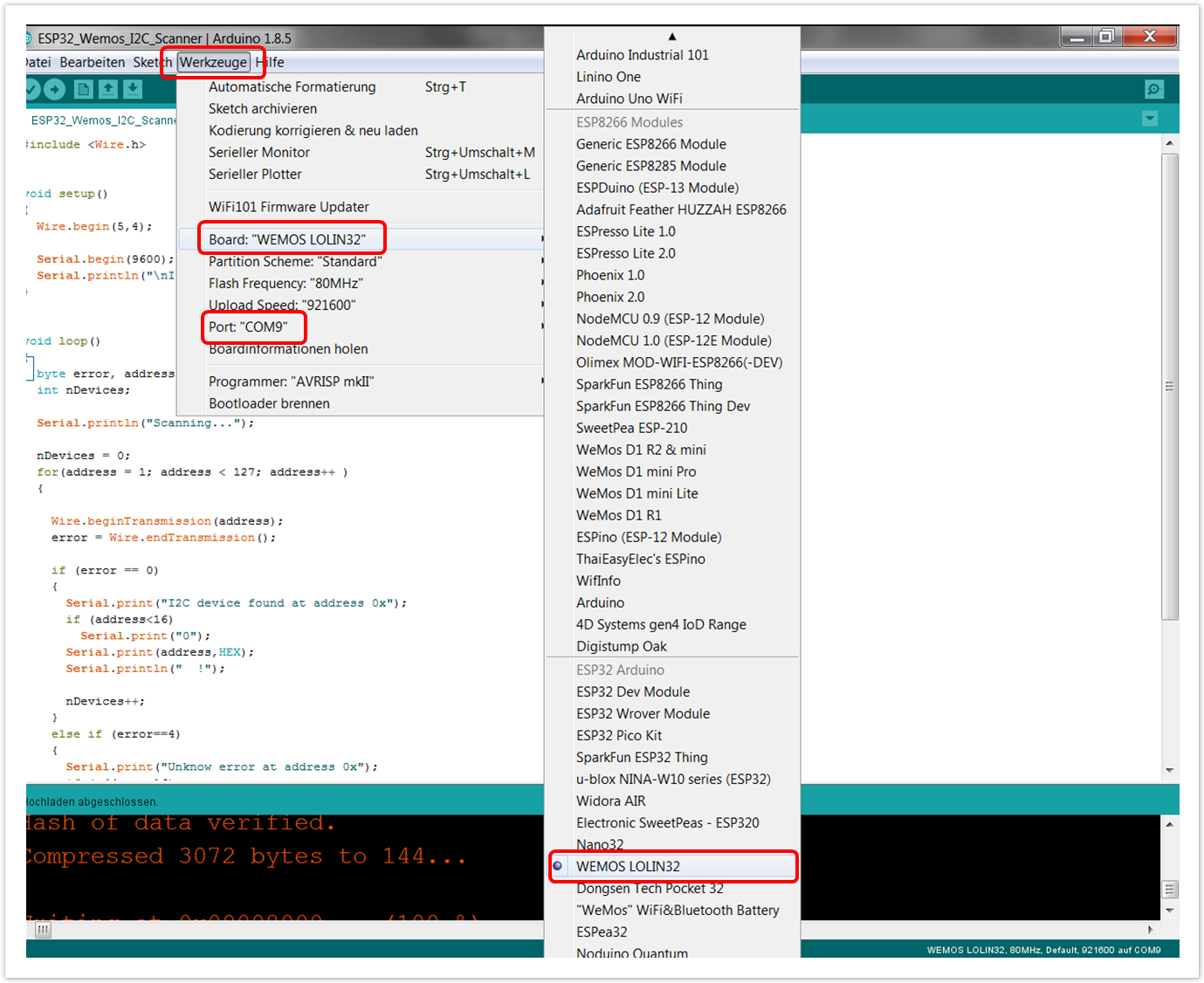
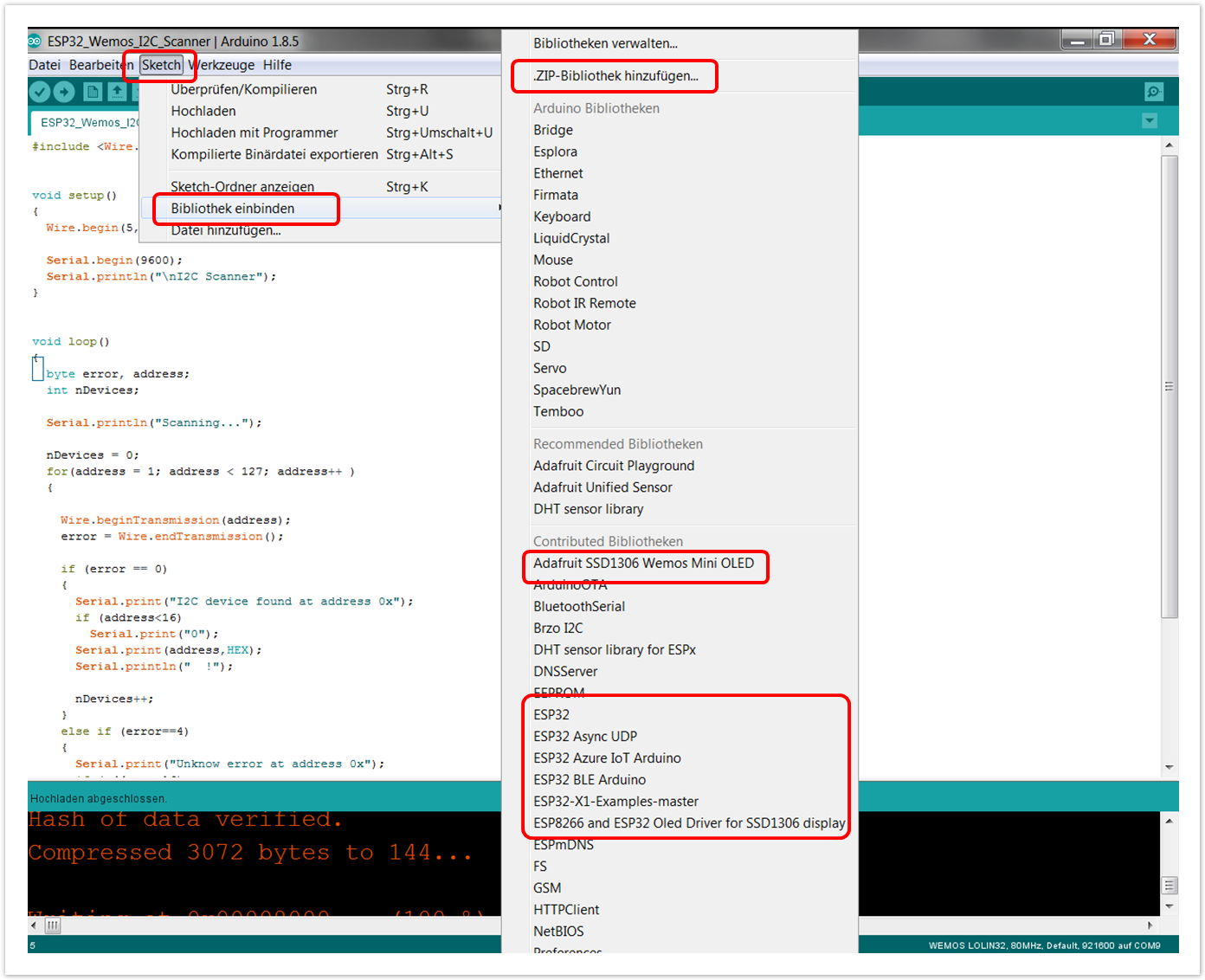
// Include the correct display library
// For a connection via I2C using Wire include
#include <Wire.h> // Only needed for Arduino 1.6.5 and earlier
#include "DHT.h" //https://github.com/adafruit/DHT-sensor-library
#include "SSD1306.h" // alias for `#include "SSD1306Wire.h"`
// or #include "SH1106.h" alis for `#include "SH1106Wire.h"`
// For a connection via I2C using brzo_i2c (must be installed) include
// #include <brzo_i2c.h> // Only needed for Arduino 1.6.5 and earlier
// #include "SSD1306Brzo.h"
// #include "SH1106Brzo.h"
// For a connection via SPI include
// #include <SPI.h> // Only needed for Arduino 1.6.5 and earlier
// #include "SSD1306Spi.h"
// #include "SH1106SPi.h" // Initialize the OLED display using Wire library
SSD1306 display(0x3c, 5,4); // SH1106 display(0x3c, 5,4);
// Create the DHT temperature and humidity sensor object
DHT dht1(14, DHT22); float DHT22_t, DHT22_h;
int xpos = 0; void setup() {
Serial.begin(115200);
Serial.println();
dht1.begin();
DHT22_t = dht1.readTemperature();
DHT22_h = dht1.readHumidity();
Serial.print("DHT22 ");
Serial.print(DHT22_t,1); Serial.print(String(char(176))+"C ");
Serial.print(DHT22_h,1); Serial.println("%RH");
Serial.println(); // Initialising the UI will init the display too.
display.init();
display.flipScreenVertically();
display.setFont(ArialMT_Plain_16);
} void drawTempHumiDemo() {
DHT22_t = dht1.readTemperature();
DHT22_h = dht1.readHumidity();
display.setFont(ArialMT_Plain_16);
display.setTextAlignment(TEXT_ALIGN_CENTER); // The coordinates define the center of the screen!
display.drawString(64,0,"Papas Höhle");
display.drawString(64,20,String(DHT22_t,1)+"°C");
display.drawString(64,40,String(DHT22_h,1)+"% rh");
display.setTextAlignment(TEXT_ALIGN_LEFT); // The coordinates define the center of the screen!
display.drawString(xpos%128,48,".");
} void loop() {
display.clear(); // clear the display
display.setTextAlignment(TEXT_ALIGN_RIGHT);
drawTempHumiDemo();
display.display();
delay(1500);
xpos = xpos + 2;
} |  )
)